

Clone Files Checker 6.1
Excellent tool for keeping your computer free of duplicate files
Program info
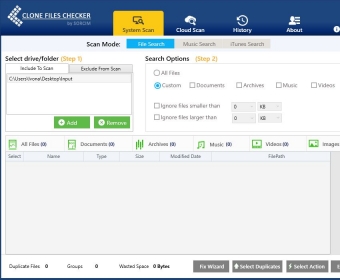
Clone Files Checker is an excellent tool for keeping your computer free of duplicate files. It offers a variety of methods to scan, view, and remove identical data from your computer, including photos, music files, HD movies, iTunes libraries, documents, and archives. It also allows you to access and manage the files stored in your Google Drive, OneDrive, and Dropbox. The interface is straightforward and easy to use, making it a great choice for anyone looking to keep their computer free of duplicate files.
Clone Files Checker is a Windows tool that enables you to identify and delete duplicates from your local directories or drives, external storage devices as well as Cloud storage accounts. The program is packed with a straightforward interface, lets you preview the found duplicates, and immediately completes any given task.
The best thing about this utility is that it can also be used to find duplicates in your music folders and iTunes library. So, you can use this program to find all kinds of similar files on your computer.
Another important advantage is the fact that you can use the trial version of the product without any limitations. You can scan drives, preview duplicates, move or permanently delete similar files until the trial period expires. Other duplicate finders bring you many restrictions when using their trial versions.
The only problem I had with the utility was when it revealed a set of duplicates and the items weren't identical. Even though they had the same file size and were created on the same day, the files had different names. Still, this wasn't a big issue as the program identified many files that were in fact duplicates.
Since you can test all of its capabilities for free, even for a short amount of time, I'd say you should give Clone Files Checker a try. See how it works on your PC, check the results, and then decide if it's worth buying it. Either way, in my opinion, is one of the best duplicate finders for Windows PCs. It's very easy-to-use, works fast, and is affordable.
Pros
- Scan the contents of external storage devices and Cloud accounts
- Preview found duplicates
- Permanently delete duplicates or send them to new folder location
- Fast scanning speed
Cons
- Occasionally fails to reveal actual duplicates
Details
Extensions

No information available
The data will be available later.


Comments